For the files you already have
Edit MP3, M4A, M4B, FLAC, WAV, AIFF, Ogg and Opus files together. DSD support is experimental; available tags and artwork support vary by format.
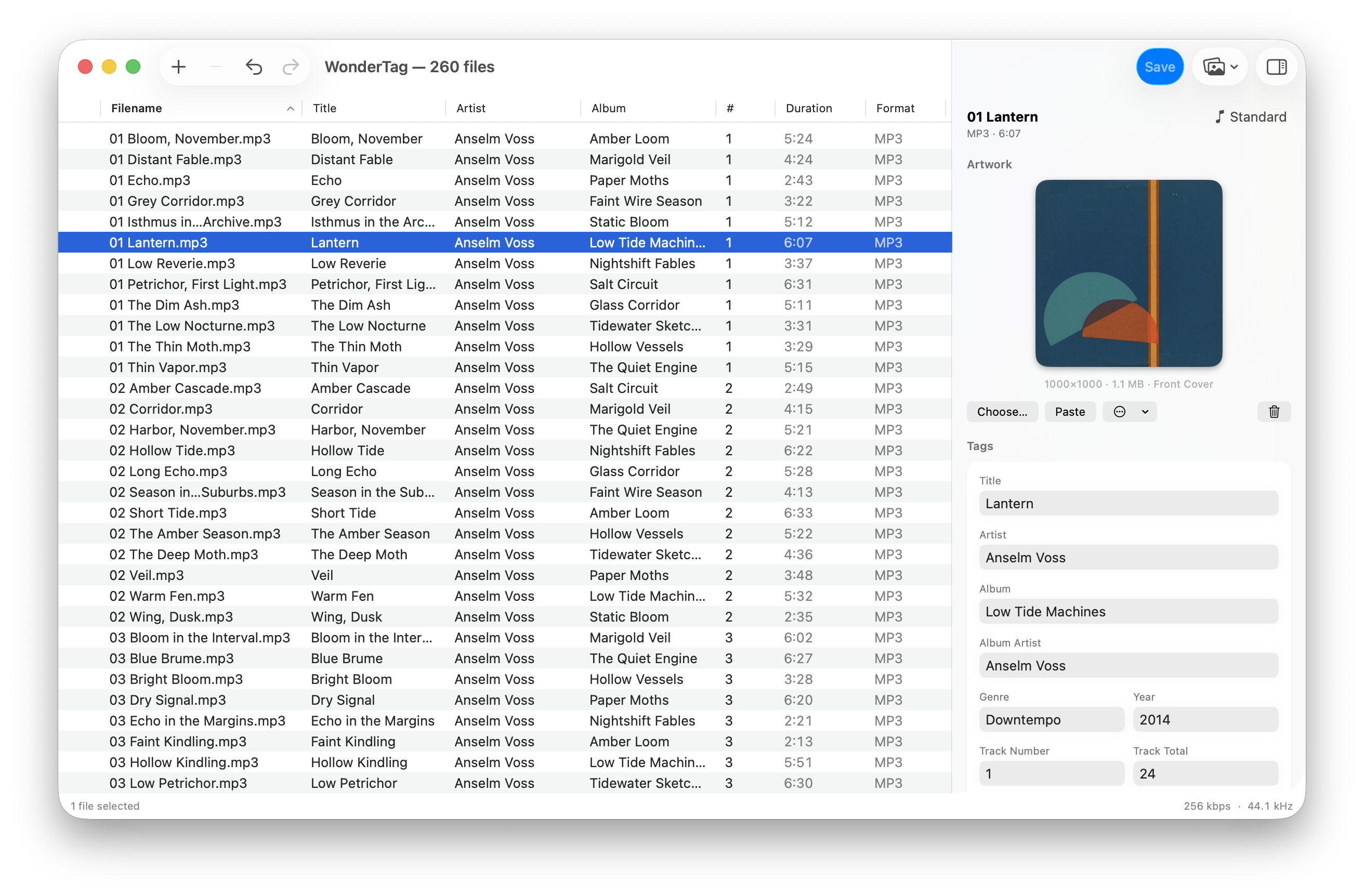
Fix an album's tags, replace its cover, or rename its tracks. Your changes save directly to the audio files on your Mac.
Free during beta. A paid license is planned.
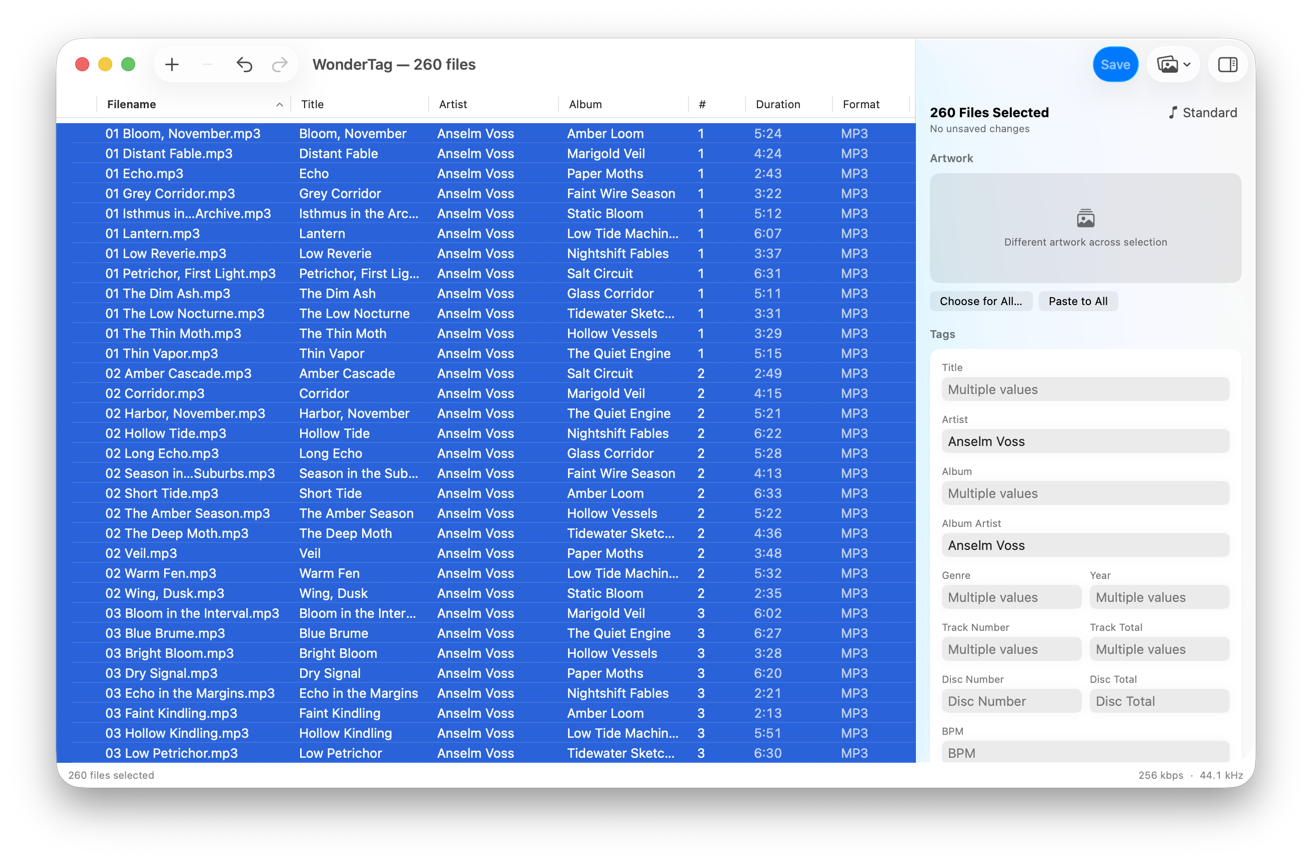
Fields that agree across the selection show their value. Fields that differ read Multiple values and stay untouched until you type over them.
Edit MP3, M4A, M4B, FLAC, WAV, AIFF, Ogg and Opus files together. DSD support is experimental; available tags and artwork support vary by format.
Drop a cover onto an album to replace its artwork. You can also paste an image or match covers from a folder to your files.
Build filenames from tags, with a preview before anything moves.
Press ⌘K and type to find an editing command. Use the arrow keys to choose it and Return to run it.
Undo restores the previous tag values, ready to save again. Undoing a rename also restores the filename on disk.
Use filenames and folder paths to fill in missing tags. Find and replace recurring mistakes across a selection, copy values between fields, or number the tracks in an album.
You can also export embedded covers and arrange the inspector around the fields you use most.
WonderTag is free to use while it's in beta. Paid licensing is coming; pricing and the changeover date haven't been announced yet.